Hi Guy’s Welcome to Proto Coder Point. In this flutter article let’s learn how to set background image in flutter.
Preventing moving background image in flutter
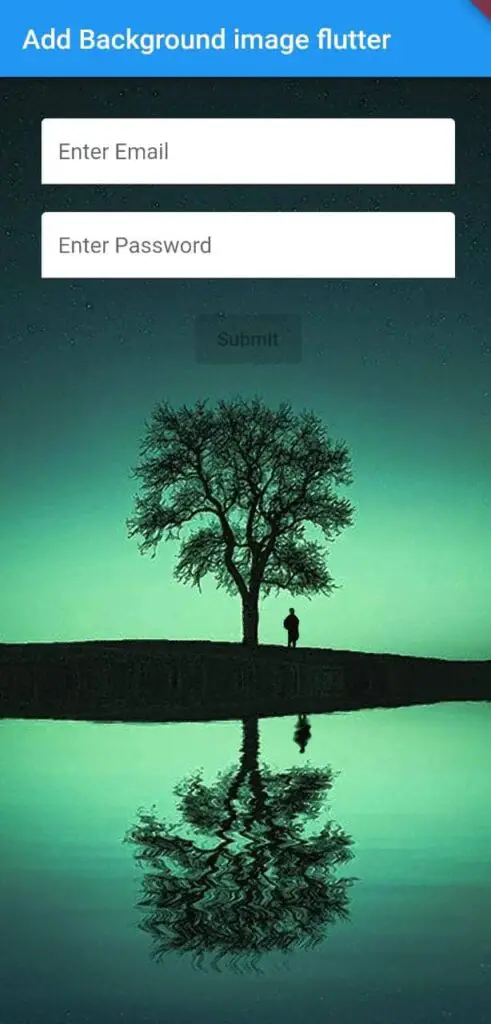
If you have a TextField that open a keyboard then the background image will auto resize and move a bit above keyboard which don’t look good, so to solve it we can wrap Scaffold widget with container & in then container widget by using decoration we can add background image (Refer: As done in below snippet code), & then In scaffold widget make sure to set background color to transparent(so that background image is visible).
Note: I have used NetworkImage, but in real time app, it better to make use of AssetImage if your background in flutter app is static.
Container(
      decoration: BoxDecoration(
        image: DecorationImage(
          image: NetworkImage(
            'https://images.pixexid.com/green-silhouette-mobile-wallpaper-hd-scpc9x4o.jpeg'
          ),
          fit: BoxFit.cover
        )
      ),
      child: Scaffold(
        backgroundColor: Colors.transparent,
          appBar: AppBar(
             title: Text('Add Background image flutter'),
          ),
        body: Container(
          alignment: Alignment.center,
          padding: EdgeInsets.all(30),
          child: Column(
            children: const [
              TextField(
                decoration: InputDecoration(
                  hintText: 'Enter Email',
                  filled: true,
                  fillColor: Colors.white
                ),
              ),
              SizedBox(height: 20,),
              TextField(
                decoration: InputDecoration(
                    hintText: 'Enter Password',
                    filled: true,
                    fillColor: Colors.white
                ),
              ),
              SizedBox(height: 20,),
              ElevatedButton(
                onPressed: null,
                child: Text("Submit"),
              )
            ],
          ),
        ),
      ),
    );
Complete Source Code
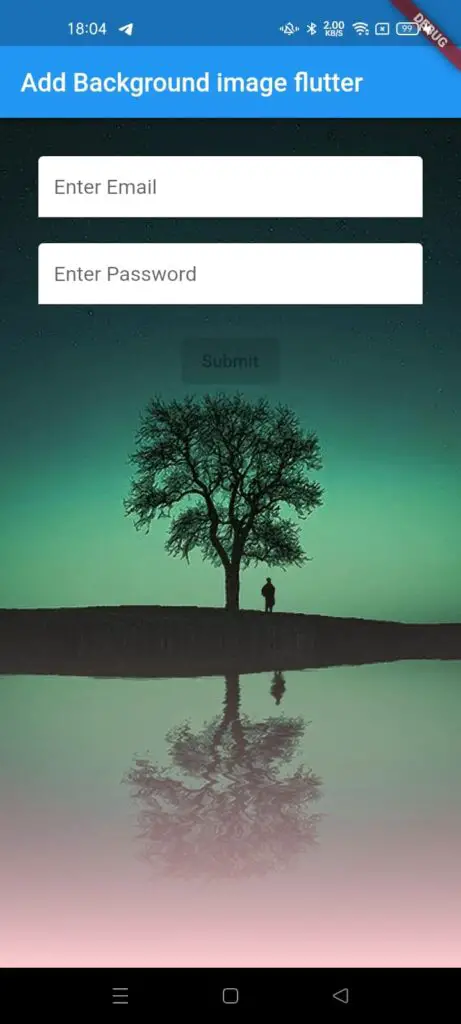
The Below Code (Complete Source Code) will set a background image in flutter & darken the background image and apply gradient effect on top of flutter background image.
import 'package:flutter/material.dart';

void main() {
  runApp(const MyApp());
}

class MyApp extends StatelessWidget {
  const MyApp({Key? key}) : super(key: key);

  // This widget is the root of your application.
  @override
  Widget build(BuildContext context) {
    return MaterialApp(
      title: 'Flutter Demo',
      theme: ThemeData(
        primarySwatch: Colors.blue,
      ),
      home: const MyHomePage(),
    );
  }
}

class MyHomePage extends StatefulWidget {
  const MyHomePage({Key? key}) : super(key: key);

  @override
  _MyHomePageState createState() => _MyHomePageState();
}

class _MyHomePageState extends State<MyHomePage> {
  @override
  Widget build(BuildContext context) {
    return Container(
      decoration: BoxDecoration(
        image: DecorationImage(
          image: NetworkImage(
            'https://images.pixexid.com/green-silhouette-mobile-wallpaper-hd-scpc9x4o.jpeg'
          ),
          fit: BoxFit.cover
        )
      ),
      child: Container(
        decoration: BoxDecoration(
          gradient: LinearGradient(
            begin: Alignment.center,
            end: Alignment.bottomCenter,
            colors: [
              Colors.black12,
              Colors.red.shade100
            ]
          )
        ),
        child: Scaffold(
          backgroundColor: Colors.transparent,
            appBar: AppBar(
               title: Text('Add Background image flutter'),
            ),
          body: Container(
            alignment: Alignment.center,
            padding: EdgeInsets.all(30),
            child: Column(
              children: const [
                TextField(
                  decoration: InputDecoration(
                    hintText: 'Enter Email',
                    filled: true,
                    fillColor: Colors.white
                  ),
                ),
                SizedBox(height: 20,),
                TextField(
                  decoration: InputDecoration(
                      hintText: 'Enter Password',
                      filled: true,
                      fillColor: Colors.white
                  ),
                ),
                SizedBox(height: 20,),
                ElevatedButton(
                  onPressed: null,
                  child: Text("Submit"),
                )
              ],
            ),
          ),
        ),
      ),
    );
  }
}