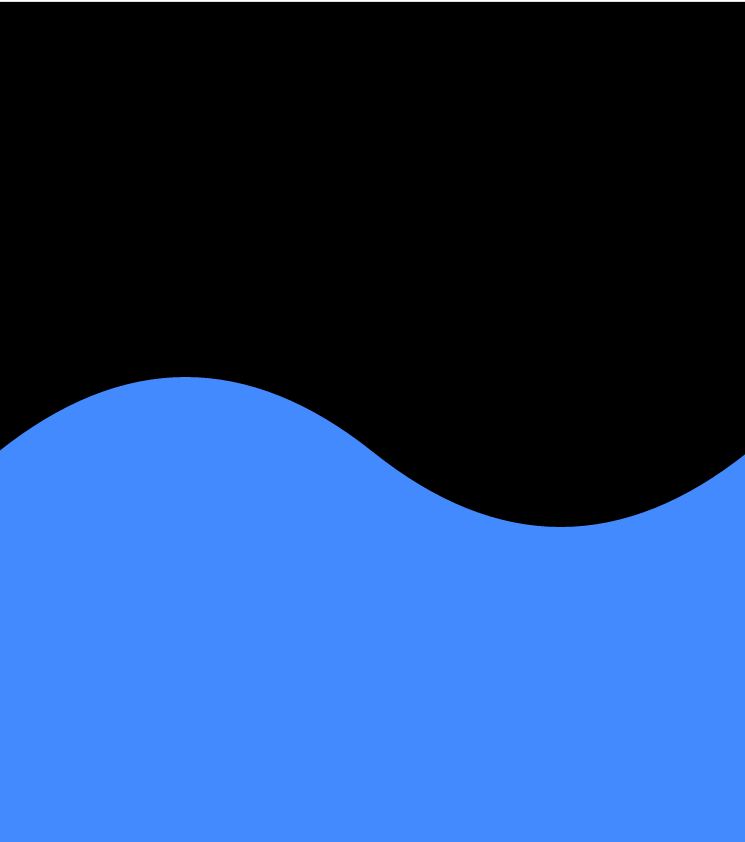
Hi Guy’s Welcome to Proto Coders Point, In this flutter tutorial we learn how to create a Bezier Curve which looks like a water wave.
To draw a Bezier curve in flutter we will be using ‘ClipPath’ widget using we can give any shape to it’s child(Container).
Step’s
- Create a class that extends
CustomClipperclass - Override
CustomClipperclass methods i.e.getClipsandshouldReclip - In getClip() method define the cliping shape
- then finally provide the customclipper class to
ClipPathWidget
CustomClipper Class
The Below clip path code will give a curve shape, that will can then apply to ClipPath widget
path.lineTo(0, size.height * 0.75); Will draw a straight line from current position to the height been defined.
The first path.quadraticBezierTo() will draw a first half of Bezier curve from current point.
The second path.quadraticBezierTo() draw a second half Bezier curve making it look like a water wave.
then finally path.lineTo(size.width,0); draw a straight line from the last curve point to the top-right corner that’s completes the clipPath class.
class BezierClipper extends CustomClipper<Path>{
  @override
  Path getClip(Size size) {
   Path path = Path();
   path.lineTo(0, size.height * 0.75);

   path.quadraticBezierTo(
       size.width * 0.25,
       size.height * 0.5,
       size.width * 0.5,
       size.height * 0.75
   );
   //
   path.quadraticBezierTo(
       size.width * 0.75,
       size.height * 1,
       size.width,
       size.height * 0.75
   );
   path.lineTo(size.width,0);
   return path;
  }

  @override
  bool shouldReclip(covariant CustomClipper<Path> oldClipper) {
    // TODO: implement shouldReclip
    return true;
  }
}
Use CustomClipper class into ClipPath widget to clips
Scaffold(
      body: Stack(
        children: [
          Container(
            color: Colors.blueAccent,
          ),
          ClipPath(
            clipper: BezierClipper(),
            child: Container(
              color: Colors.black,
              height: 400,
            ),
          )
        ],
      )
    );
Output